SSH Access
For security reasons, SSH access is available only through public key authentication and from within the VPN.
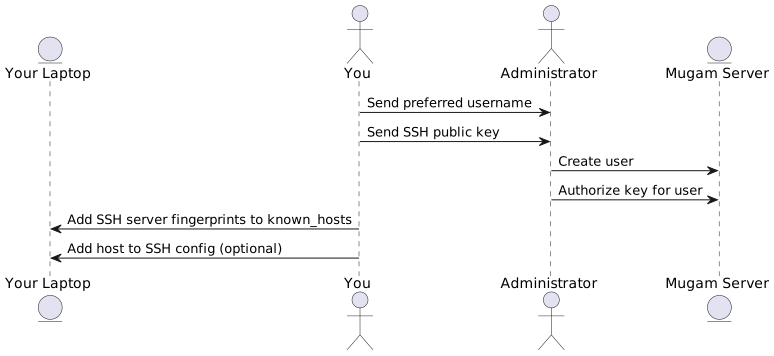
Required information
Send to the server administrator
- Preferred username
- Your SSH public key
Log in
Download the fingerprints of the SSH server from
./static/ssh-server-fingerprints.gpg, verify them and append them to
your ~/.ssh/known_hosts.
$ gpg -d ssh-server-fingerprints.gpg >> ~/.ssh/known_hosts
Log in using
$ ssh your-username@192.168.2.1
For your convenience, consider setting up a host in your SSH config
file at ~/.ssh/config.